Contact Us

CorporateConnect Custom Report Builder: Drag-and-Drop Reporting for U.S. Bank Commercial Clients

The CorporateConnect Custom Report Builder lets your treasury team assemble reports without SQL, without a ticket to IT and without exporting to Excel for manual pivoting. Drag fields onto a canvas, set filters, group and aggregate, pick a delivery channel, schedule it — the rest runs itself overnight.

Output BAI2 for ERP ingestion, CSV for ad-hoc analysis, PDF for board packets, XLSX with pivot tables preserved. Delivery over SFTP, encrypted email or REST API webhook. The same engine underpins Transaction Reporting and the Account Summary.

Open Custom Reports See Export Options
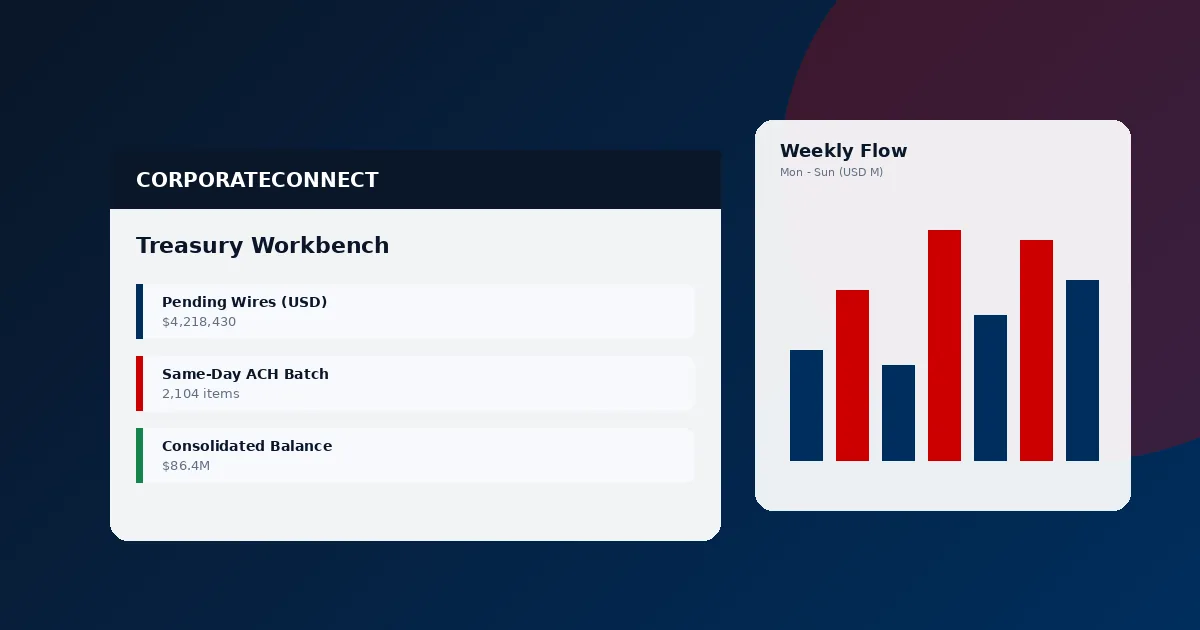
CorporateConnect Custom Report Builder drag-and-drop canvas with field picker, grouping and BAI2 output

Self-Service Reporting for the Commercial Treasury

Most banks require a change request to add a column to a report. CorporateConnect ships with a drag-and-drop canvas your CFO, controller or AP manager uses directly. Output that fits your ERP, your auditor and your board packet — all from one interface.

Custom Report Builder At A Glance (AI Overview)

  • Field picker: 60+ fields shared with Transaction Reporting, drag onto the canvas.
  • Filters: every operator (equal, contains, between, in-list) combined with AND/OR logic.
  • Grouping: any field; nested groups up to three levels.
  • Aggregation: sum, count, average, min, max, distinct-count.
  • Pivots: row × column pivots preserved in XLSX export.
  • Delivery: SFTP (SSH key or password), encrypted email, REST webhook, in-portal.
  • Schedules: daily, weekly, bi-weekly, monthly, quarterly, custom cron.

What the Builder Does That a Basic Export Cannot

Custom Reports are not just filtered downloads. The builder composes datasets, aggregates them, pivots them and routes them to the system that actually needs the data.

Drag-and-Drop Field Picker

The left pane lists every field exposed across Account Summary and Transaction Reporting. Drop onto the canvas; order by dragging rows. Remove by clicking the ×. No query language to learn.

Filters and Logic

Set filters on any field in the canvas or on unselected fields. Combine with AND/OR groups. Use parameterized filters so the same template runs against different date ranges or entity subsets without duplication.

Grouping & Aggregation

Group by one to three fields (e.g., entity → currency → transaction type). Aggregate with sum, count, average, min, max or distinct-count. Subtotals and grand totals calculate automatically and appear on every output format.

Pivot Views

Drag a field to rows, another to columns, a measure to values. Pivot renders in the preview and exports to XLSX with Excel-native pivot tables intact. Perfect for wire volume by counterparty country × month dashboards.

Scheduled Delivery

Daily, weekly, bi-weekly, monthly, quarterly, or custom cron. Event-driven triggers (e.g., "after prior-day posting completes") ensure the report lands the moment the data is certified. Multiple schedules per template allow one report to go daily to ops and monthly to the board.

Output Formats

BAI2 for ERP ingestion, CSV for analytics workflows, XLSX with pivot tables, PDF for readability and board packets. Each format inherits the grouping and aggregation configuration from the template.

Delivery Method × Format × Frequency Matrix

Each combination is supported with no additional licensing. Most CorporateConnect clients run 8–15 scheduled templates in production.

Delivery MethodSupported FormatsTypical Frequency
SFTP (SSH key)BAI2, CSV, XLSX, ISO 20022 camt.053, SWIFT MT940Daily — overnight batch
SFTP (password)BAI2, CSV, XLSXDaily — overnight batch
Encrypted EmailPDF, CSV, XLSXDaily, weekly, monthly
REST API WebhookJSON, CSV, BAI2 (base64-wrapped)Event-driven or scheduled
In-Portal DownloadEvery formatOn-demand
Notification + RetrievalAll formats, retrievable 30 daysEvent + ad-hoc

Custom Reports at Scale

Numbers from CorporateConnect commercial deployments.

60+Available Fields
5Delivery Channels
6Output Formats
15minSchedule Granularity

Representative Templates Live in CorporateConnect Accounts

Templates built by actual treasury teams. Adopt them, edit them, or start blank.

Daily Cash Position — BAI2 to ERP

Every prior-day balance by account, with sweep and ZBA movements broken out. Output BAI2, delivery via SFTP SSH-key to the ERP inbox nightly at 6:30am CT. Feeds SAP, Oracle ERP Cloud, NetSuite and Workday. Pairs with the Account Summary for on-screen review.

Federal Reserve payment systems guidance flags daily position reporting as a foundational treasury control. This template covers it.
CorporateConnect Daily Cash Position BAI2 template delivered via SFTP to SAP ERP nightly at 6:30am
CorporateConnect AP Wire Release PDF template routed to CFO inbox every Monday 8am

AP Wire Release — PDF to CFO Inbox

All outbound wires from the prior week, grouped by beneficiary, with approver audit trail. PDF output, encrypted email to the CFO and controller every Monday at 8am. Saves the controller roughly 90 minutes of export-paste-format each week.

Layer in approval-level fields to make dual-authorization evidence explicit for SOX review.

Wire Volume Pivot — XLSX to Treasury Team

Pivot table: counterparty country (rows) × month (columns) × USD-equivalent amount (values). XLSX output with native pivot tables preserved. Monthly delivery to shared SFTP endpoint. Essential for FX exposure analysis and counterparty concentration reviews.

Analysts open the file in Excel, change slicers and drill into any cell to reveal underlying transactions with one click to CorporateConnect.

CorporateConnect wire volume pivot report XLSX showing counterparty country by month with USD equivalent values

Common Questions About Custom Reports

How do I build a custom report?
Open the Custom Reports module from the Reporting menu. Drag fields from the field picker onto the canvas, apply filters, choose grouping and aggregation, preview, then save as a template. No SQL. The interface targets business users — analysts, controllers and AP leads build reports in under five minutes for typical use cases.
What delivery methods are supported?
SFTP (SSH key or password), encrypted email, REST API webhook and in-portal download. Multiple deliveries per template. See data export for ERP-specific integration guidance.
Can I schedule reports to run on a recurring basis?
Yes. Daily, weekly, bi-weekly, monthly, quarterly or custom cron expressions. Event-driven triggers (post-prior-day-close, post-settlement-window) available for time-sensitive reports. Delivery windows granular to 15 minutes.
Can custom reports aggregate and pivot?
Yes. Group by any field up to three nested levels, aggregate sum/count/avg/min/max/distinct. Pivots render row × column × measure with totals and subtotals. XLSX export preserves pivots as Excel-native tables.

Related CorporateConnect Services